Old Photo Filter
Make any photo look like it came from another decade.
Upload a photo, pick an era, and add the details that make a print look truly old, like film grain, scratches, worn edges, or paper texture. Set the aging intensity and download your vintage photo.
Upload Your Image
Choose a file or drag & drop it here.
JPG, PNG, or WEBP, up to 20 MB.
Choose a file or drag & drop it here.
Higher intensity adds more fading, grain, and wear.
More Than a Retro Tint
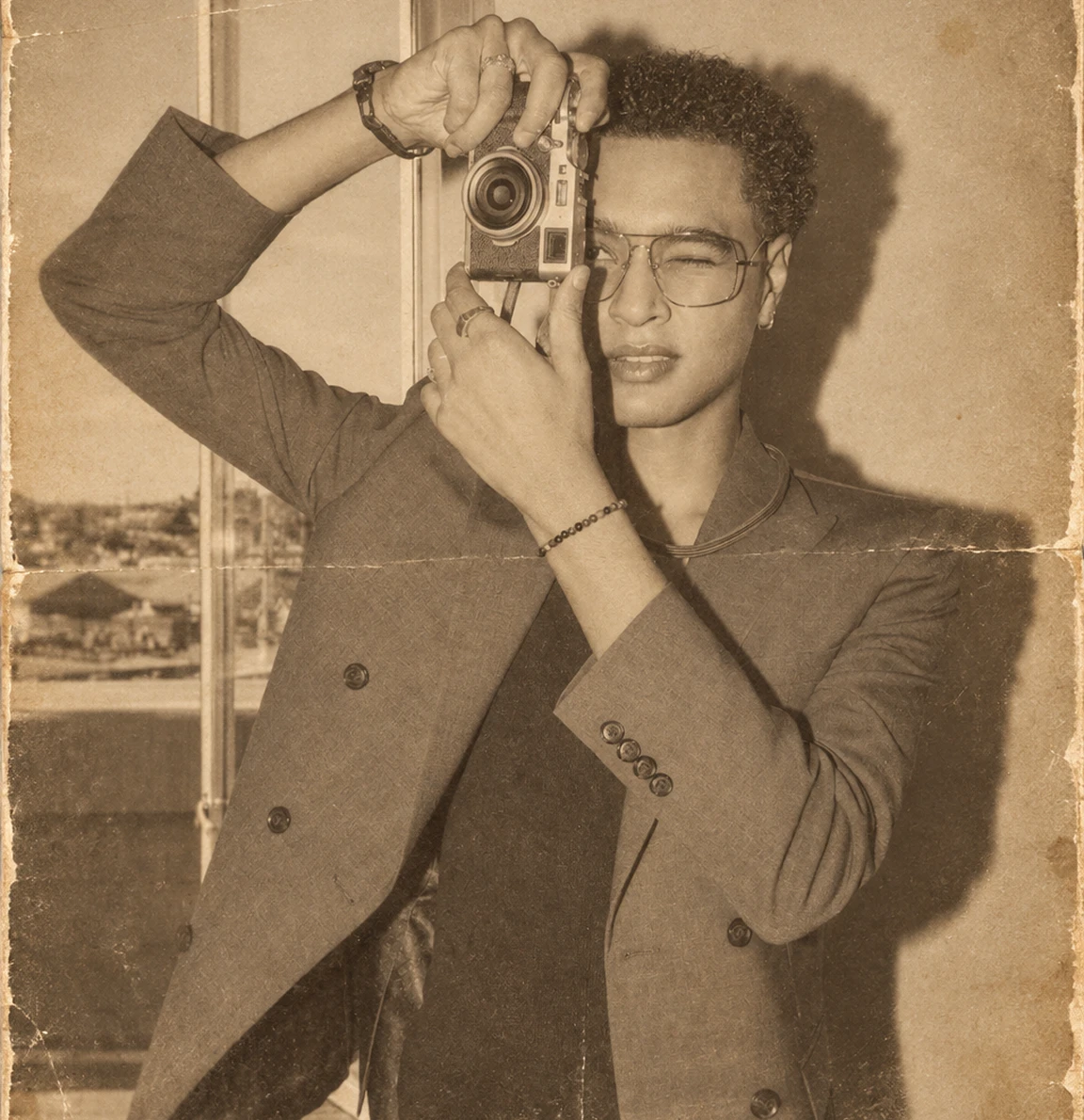
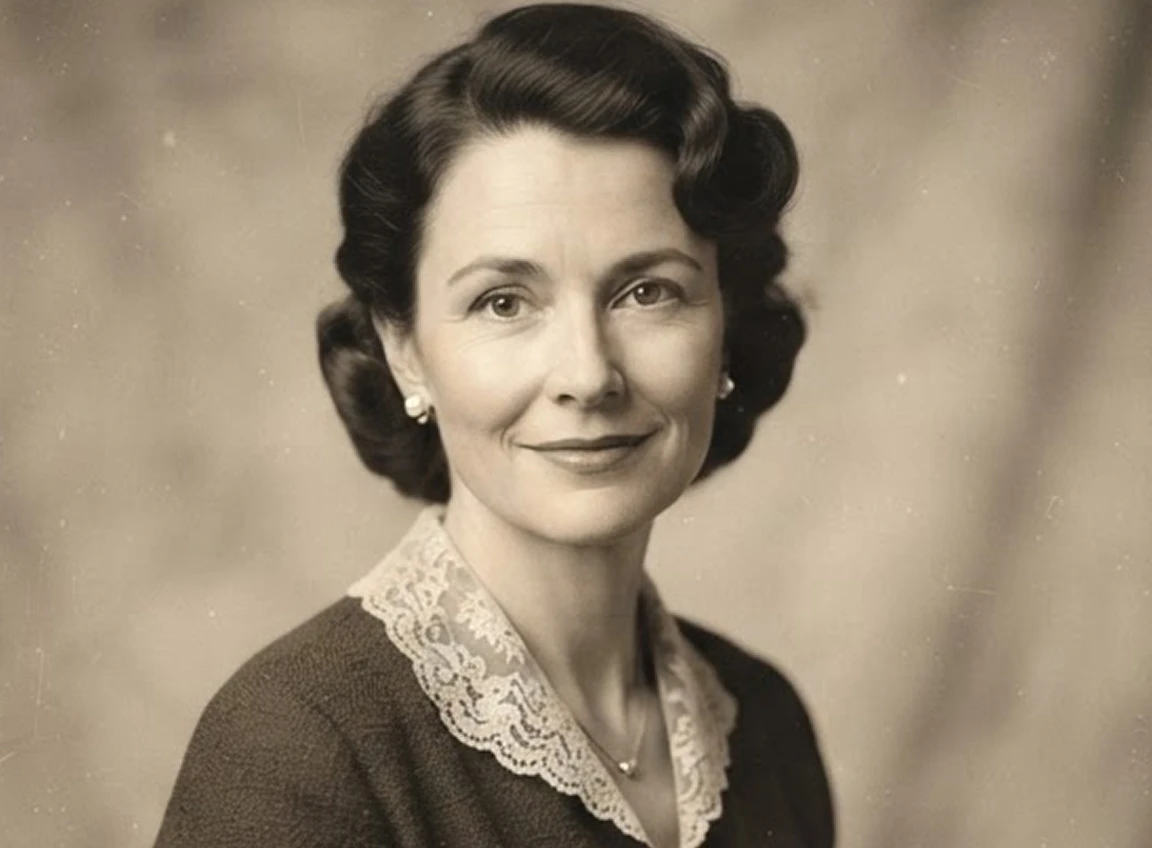
Turn a modern photo into an old print with faded colors, soft contrast, and real film character. Your people and places stay the same, and only the look changes.
Pick the Decade
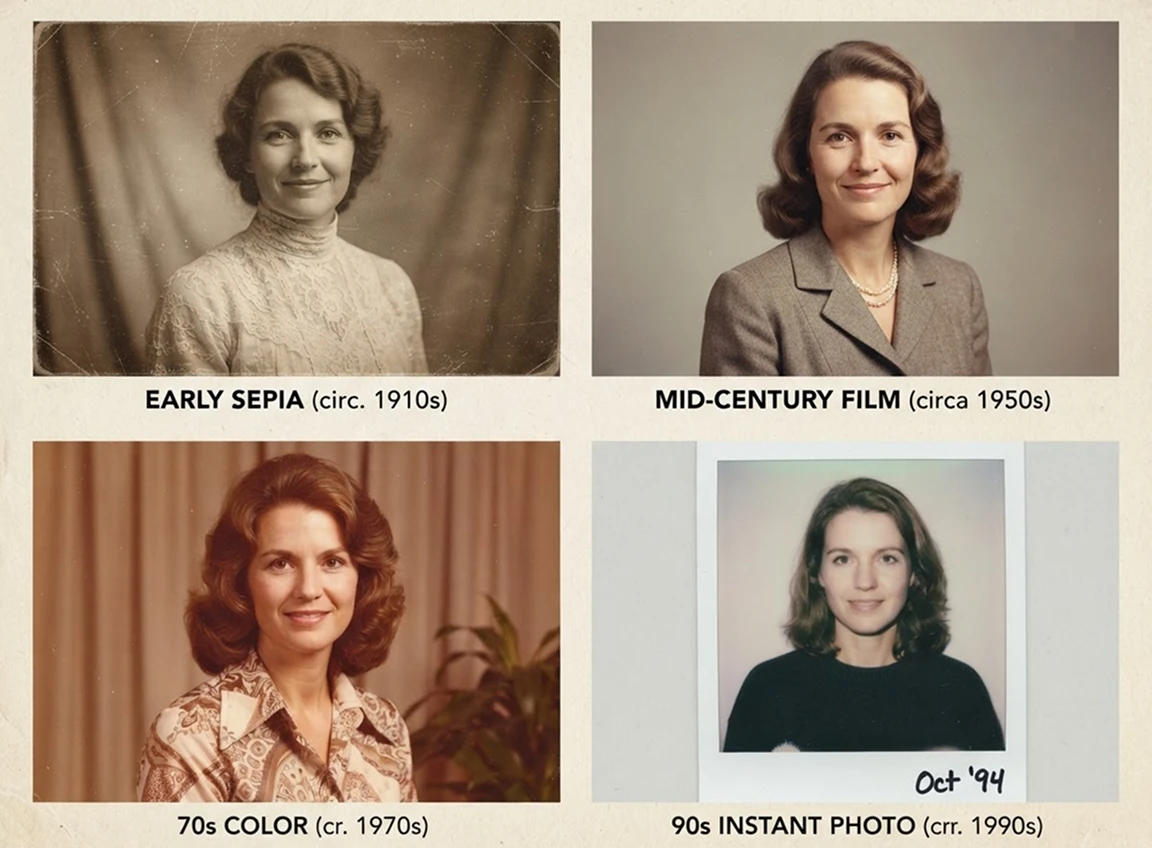
Choose 1900s sepia, 1950s film, 1970s color, or 1990s instant. Each era copies the colors, grain, and print style of photos from that time, not just a warm tint.
Real Print Wear
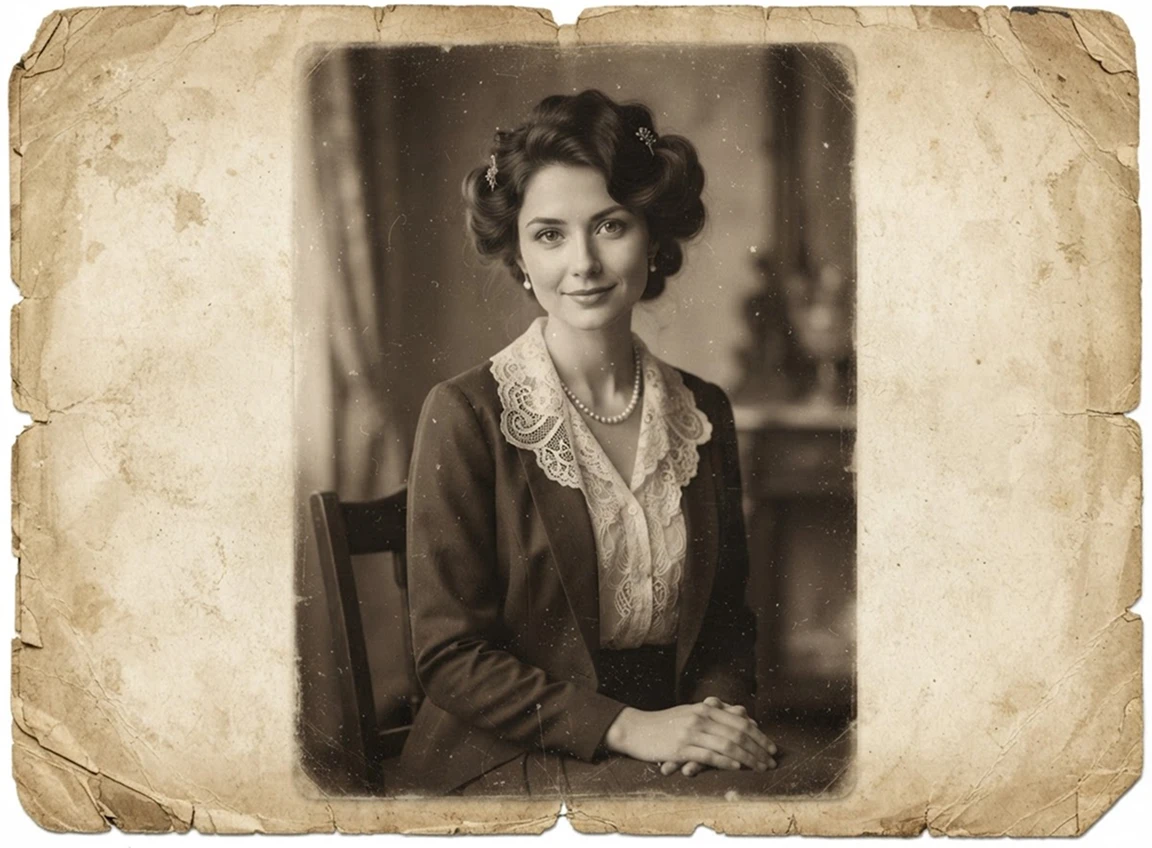
Layer film grain, scratches and dust, worn edges, and paper texture. Raise the aging intensity for more fading and wear, so it looks like it came from a family album.
How it works
How to Make a Photo Look Old
Age your photo in four simple steps.
Step 1
Upload
Add the photo you want to age.
Step 2
Choose an Era
Pick an era, your effects, and the aging intensity.

Step 3
Age Photo
Click Age Photo to apply the vintage look.
Step 4
Download
Preview the result, then download it in high resolution.

Who it's for
For Nostalgia, Design, and Storytelling
Who it's for
Social Media Users
Post throwback looks without an old camera.
Party and Event Hosts
Make vintage invitations for themed birthdays and reunions.
Filmmakers and Game Designers
Create period photos for props, sets, and story scenes.
Designers
Give posters, album art, and packaging a retro feel.
Couples
Turn wedding or engagement photos into a timeless keepsake.
Writers and Teachers
Illustrate stories and lessons set in another era.
FAQ
Frequently Asked Questions
Answers on cost, eras, wear effects, aging faces, and privacy for the Old Photo Filter.
It makes a new photo look like a real print from an earlier decade, with matching colors, grain, contrast, and physical wear like scratches and worn edges.
Yes. You can age photos on the free plan. Free has usage limits and a lower maximum resolution, and paid plans raise both.
Pick an era, turn on Scratches and Dust, Worn Edges, or Paper Texture, and raise the aging intensity until it looks right.
A vintage filter adds a retro color tint. An old photo filter also copies the grain, contrast, and physical wear of real prints from a specific decade.
1900s sepia, 1950s film, 1970s color, and 1990s instant. Each era has its own colors, grain, and print style.
No. This tool only changes the look of the photo. To see how a face may age, use AI Age Progression.
Yes. Your photos stay in your account and are not used to train models. You control who can see anything you share.
Ready to Explore?
Work Smarter With Multi-Model AI
Age, edit, and create images with GPT Image, Nano Banana, FLUX, and Seedream in one secure workspace.