Chrome extension now live
Get Aymo AI wherever you work.
50+ AI models in a sidebar on every tab. Summarize pages, ask about what you're reading, compare answers from different models, and write right where you type.
Free to use and works on every site!
Features
Core features of the Aymo Browser Extension

Switch to any AI model
GPT, Claude, Gemini, Grok, DeepSeek, Kimi, GLM and more, all in one sidebar. Use a fast model for quick questions and a stronger one when the answer matters.
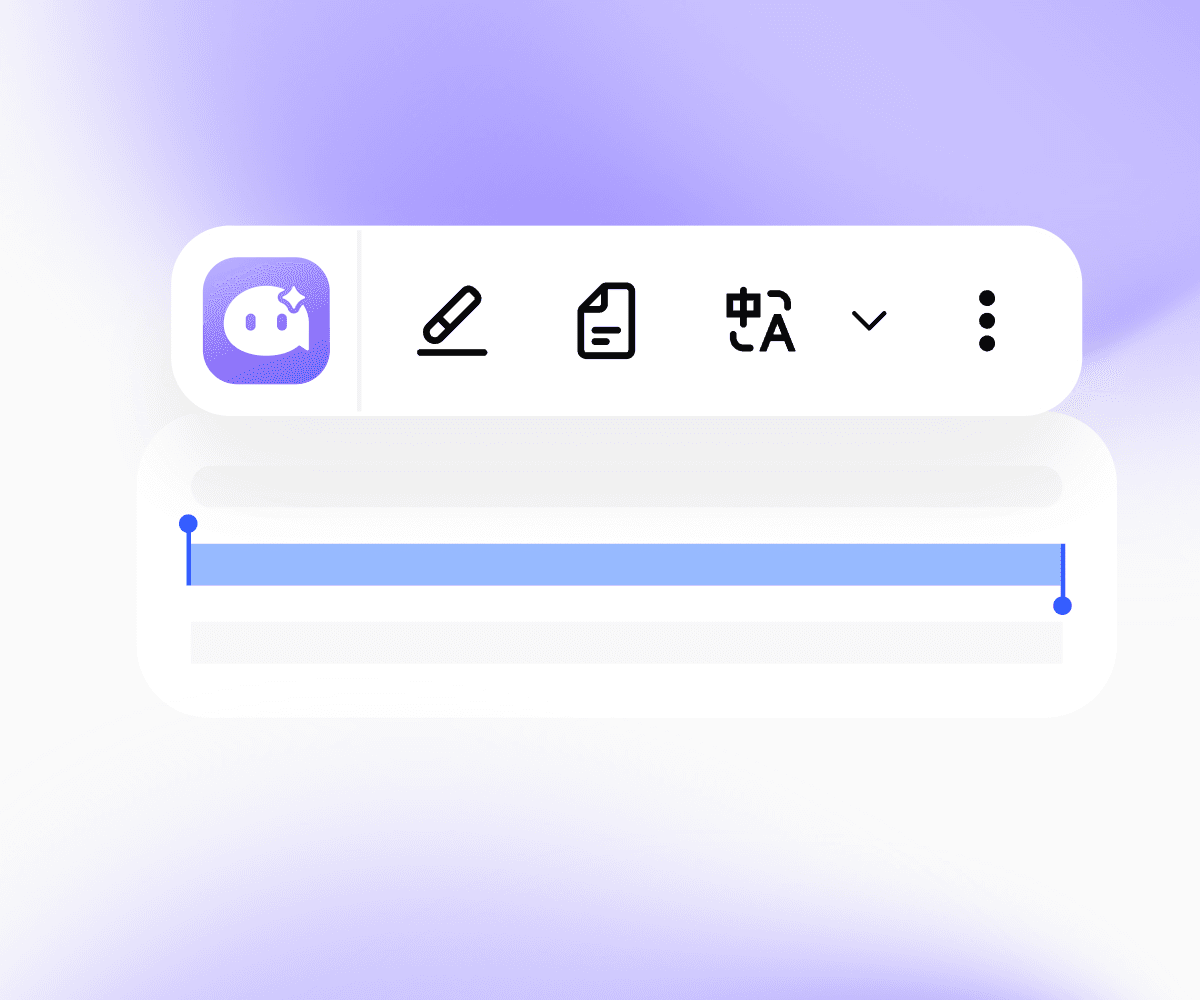
AI quick actions
Select any text and Aymo shows up right there. Summarize, translate, explain, simplify, fix grammar, or rewrite it as Professional, Friendly, Casual, Shorter, or Punchy. Pin the actions you use most.

Screen Capture and Analyze
Grab any part of the screen, like a chart, a dashboard, or an error message, and ask about it.
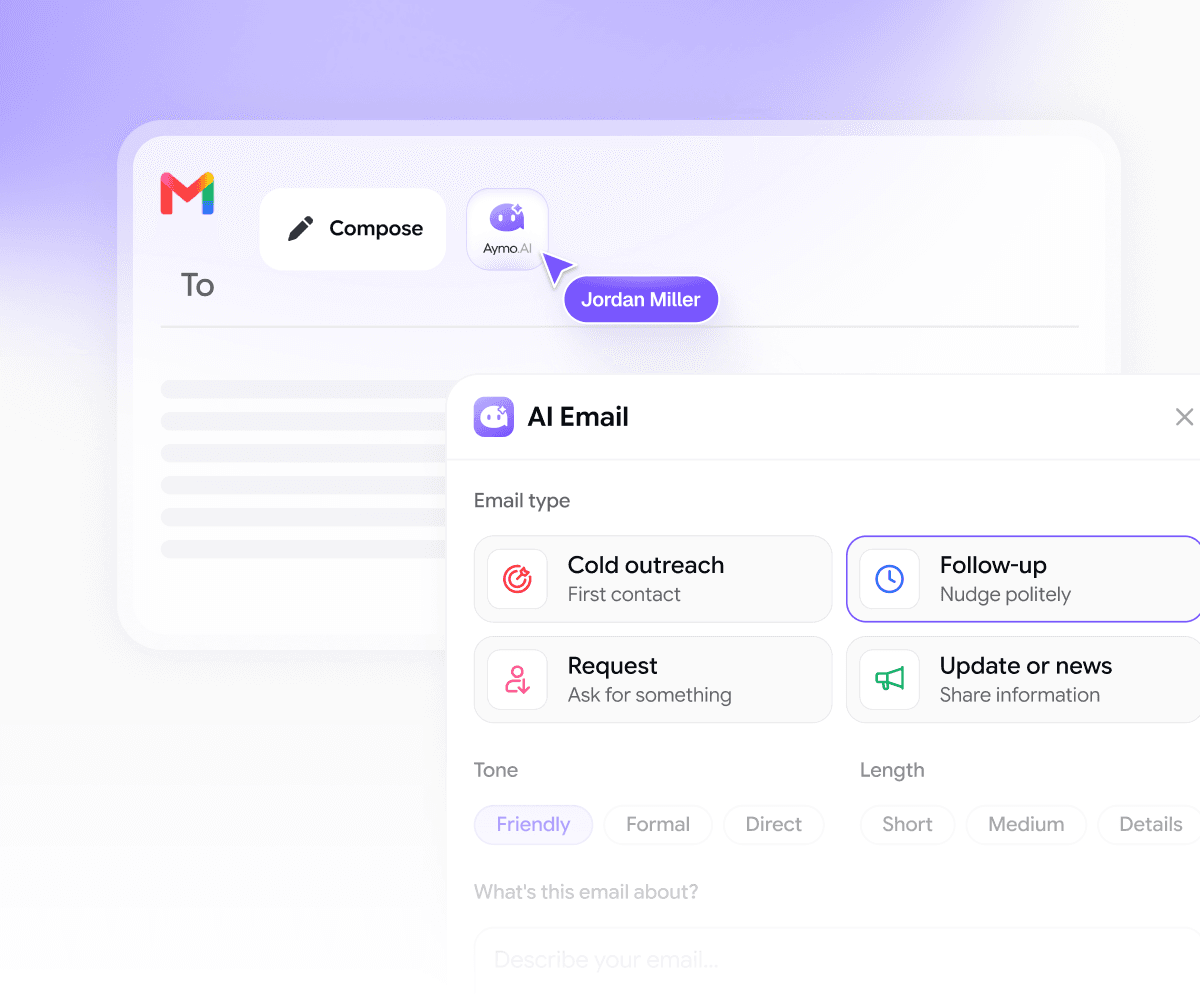
AI Email Assistant
Summarize long threads and draft replies without leaving your inbox.

YouTube Summaries
Get the key points of any video in the sidebar, without watching the whole thing.

Social Media AI assistant
Write and improve posts and replies on LinkedIn and X right on the page.
Your whole workspace, in the browser
Everything in Aymo, one click away
The extension connects to your Aymo account, so your models, prompts, and chats follow you to every tab.
50+ models, one subscription
GPT, Claude, Gemini, Grok, DeepSeek, Kimi, GLM and more. Pick the right model for each task in the sidebar, without paying for five tools.
Chats that sync
Start a chat on a webpage and pick it up later on aymo.ai. Everything you do in the extension is saved to your workspace.
Your prompt library
Save the prompts you use most and run them on any page in one click. No retyping, no digging through notes.
Projects and workspaces
Keep research, drafts, and chats organized by project. Share workspaces with your team so everyone works from the same context.
Web search and deep research
Ask about something that isn't on the page and get answers from the live web. Use deep research when you need a full breakdown.
Personalization
Tell Aymo about your role, tone, and preferences once. Every answer in the extension uses that context.
Bring your own keys
Connect your own API keys if you'd rather use your own providers.
Private by default
Aymo never trains on your chats or page content. Your data is encrypted and hosted in the US and EU.
Getting Started
Up and running in under 60 seconds.
Install it, pin it, and start using AI on any page you visit.
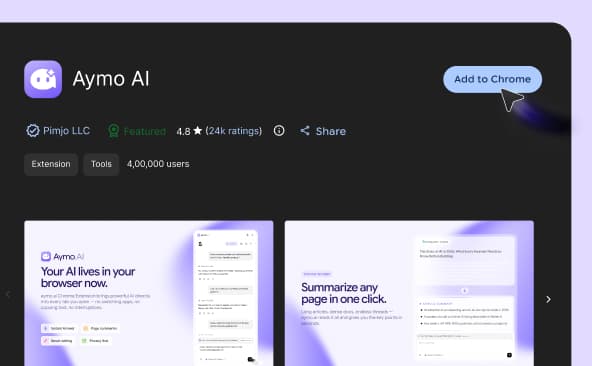
Open the Chrome Web Store and click "Add to Chrome."
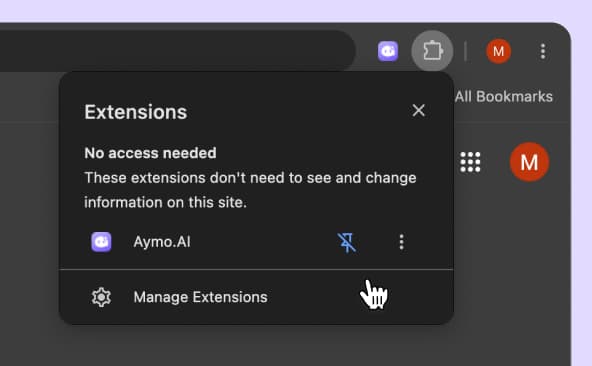
Click the 🧩 puzzle icon in your toolbar, find Aymo AI, and click the pin.
Click the Aymo icon or press Cmd/Ctrl + Shift + Y on any page to summarize, ask, or write.
FAQ
Frequently Asked Questions
Everything you need to know about the Aymo extension, from models and pricing to privacy.
Yes. The extension is free to install and use. The free plan gives you daily usage with selected models. Paid plans unlock all 50+ models and higher limits.
No. Install it and start using it. You can connect an account later to sync chats with your Aymo workspace and unlock more models.
The same models as the Aymo platform: GPT, Claude, Gemini, Grok, DeepSeek, Kimi, GLM, and more. 50+ in total, and we add new ones as they launch.
Yes. Send one prompt to two or three models and see the answers side by side.
Yes. In Gmail you can summarize threads and draft replies. On YouTube you can summarize any video from the sidebar.
The extension only reads a page when you ask it to. It doesn't watch your browsing in the background. We never use your chats or page content to train models, your data is encrypted, and our infrastructure runs in the US and EU. Details are in our privacy policy.
No. The extension stays idle until you open it, so it doesn't affect page load or memory.
Yes. It works on Chromium browsers like Edge, Brave, Arc, and Opera. Firefox and Safari versions are on the roadmap.
We're building them now. Follow our roadmap for updates. In the meantime, aymo.ai works in any mobile browser.
A ChatGPT extension gives you one provider. Aymo gives you 50+ models in one place, so you can pick the right one for each task, compare answers, and switch anytime without paying for another subscription.
Ready to try it?
Try it on the next page you read.
Install takes one click. The next long article, confusing doc, or email you don't want to write, Aymo is already there.